Gaugebook

Know what your car really costs to run.

A fast, private fuel log for iPhone. Log a fill-up in seconds and see your real fuel economy, cost per mile and monthly spend.

Email me when it launchesComing soon to the App Store. iPhone, iOS 18 or later

Coming from Fuelly? Gaugebook reads your CSV export and shows what it found before anything is imported. Bringing a car with its whole history is free. How it works

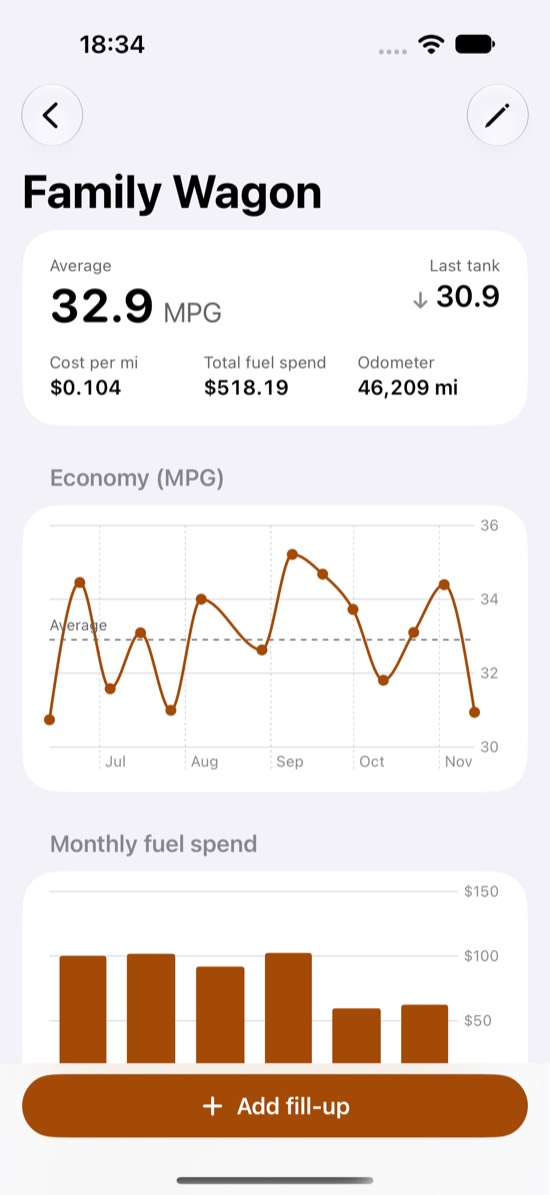
Gaugebook showing average MPG, cost per mile, an economy chart and monthly fuel spend

Accurate economy, without the busywork

Gaugebook measures fuel economy the way it should be measured: from one full tank to the next.

Full-tank method

Partial fills are added into the next full-tank reading, so they count without skewing the number.

Honest when you forget

Missed a fill-up? Flag it and Gaugebook starts a fresh measurement instead of reporting a wrong figure.

Your units

MPG (US or UK), L/100 km, km/L, and kWh for electric cars. Distances in miles or kilometres.

Real running costs

Cost per mile or km, total fuel spend and a monthly spend chart.

Service log

Oil changes, tyres, inspections. Reminders by date or by distance.

Private by design

No account, no ads, no tracking. Your data stays on your iPhone, and CSV export is free.

Simple on purpose

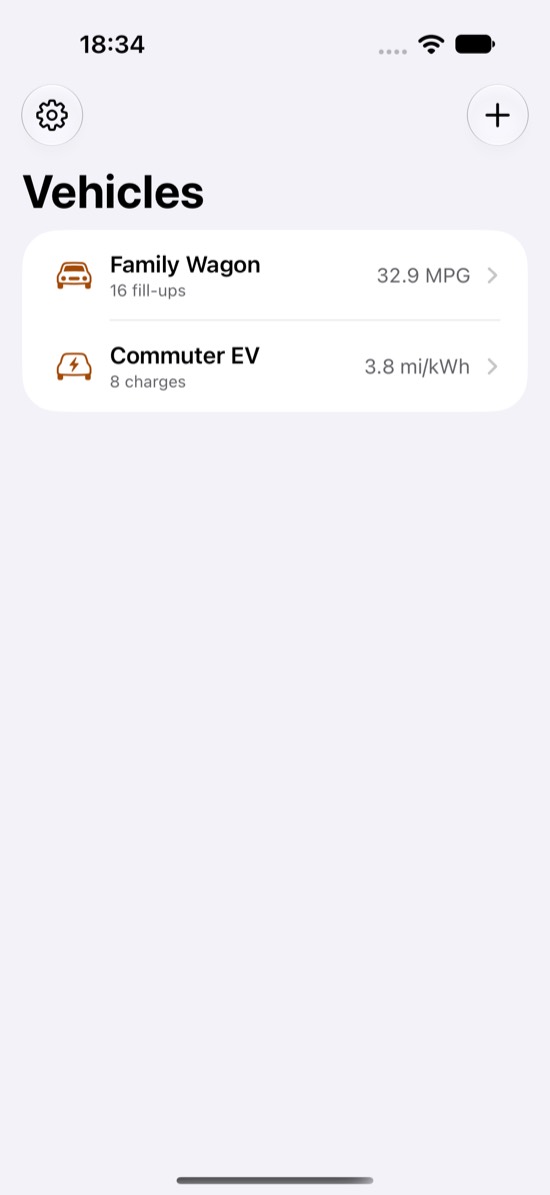
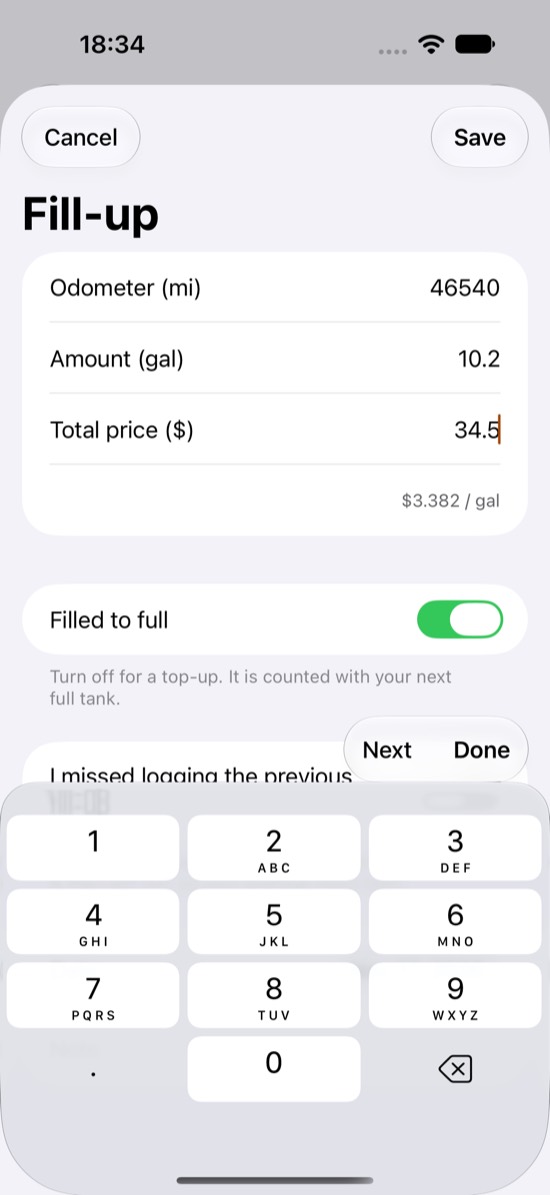
Three screens do most of the work: your vehicles, the numbers that matter, and a quick fill-up form.

Vehicle list with average MPG per car Vehicle detail with economy and monthly spend charts Fill-up form with odometer, amount and price

Moving from Fuelly?

Bring your history with you. It takes a couple of minutes.

  1. Sign in on the Fuelly website and use its export option to download your fuel-ups as a CSV file.
  2. Save the file to the Files app on your iPhone (AirDrop or iCloud Drive work fine).
  3. In Gaugebook, tap + and choose Import CSV. You see the vehicles and fill-ups it found, and the first rows as it read them, before anything is imported.

Importing one vehicle with its whole history is free. A file with several cars needs Gaugebook Pro to bring them all. More about switching from Fuelly

Free to start

Use Gaugebook free for one vehicle. Upgrade when you want more.

Free

  • One vehicle
  • Your 10 latest fill-ups in the list
  • Economy, cost per mile, charts
  • CSV import and export

Gaugebook Pro

  • Unlimited vehicles
  • Your full history in the list
  • Service log and reminders
  • Yearly or monthly, with a free trial on the yearly plan
  • Or one payment for lifetime access

Support

Questions or problems? Email [email protected]. We usually reply within two working days.

Why is my economy blank?

Economy is measured from one full tank to the next. Log at least two fill-ups marked "Filled to full". Partial fills are added into the next full-tank reading.

I forgot to log a fill-up

On the next fill-up, turn on "I missed logging the previous fill-up". Gaugebook then starts a fresh measurement instead of reporting a wrong number.

How do I edit or delete an entry?

Tap a fill-up to edit it. Swipe left on a fill-up or service entry to delete it. Editing service entries is part of Gaugebook Pro.

Can I change units after adding fill-ups?

No. Units and fuel type are locked once a vehicle has entries, because the stored numbers would otherwise be misread. Create a new vehicle with the right units instead.

Restore or cancel a subscription

Restore: Settings in the app, then Restore purchases. Cancel: iPhone Settings, your name, Subscriptions, Gaugebook. Cancel at least 24 hours before the renewal date.

Where is my data?

On your device only. Export everything as CSV at any time from Settings, free. See the privacy policy.